What to Do the Second Google Suspends Your Business Profile (The Expert’s Emergency Manual)
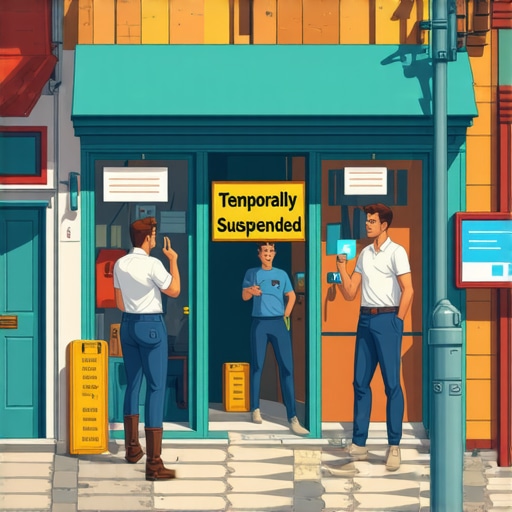
It starts with a notification email or a sudden drop in phone calls. You check your dashboard and there it is: the dreaded red banner. Your Google Business Profile (GBP) has been suspended. It feels like a gut-punch because, for most local businesses, this isn’t just a technical glitch – it is a total cessation of lead flow. When you need to fix google business profile suspension issues, the panic often leads to the single most dangerous mistake you can make: creating a new profile. Do not do this. Creating a duplicate profile while one is suspended is seen by Google as an attempt to circumvent their systems, and it can turn a temporary setback into a permanent ban. A suspension removes you from both Google Search and Google Maps instantly, effectively making your business invisible to the local customers who need you most. As one of only 14 GMB Gold Product Experts globally, I have seen thousands of these cases, and I can tell you that while the situation is urgent, it is solvable with a calm, methodical approach.
Step 1: Identify the Type of Suspension (Soft vs. Hard)
Before you can fix google business profile suspension triggers, you must understand what kind of “jail” Google has put you in. Not all suspensions are created equal, and the path to recovery depends entirely on the severity of the flag.
The Soft Suspension
A “Soft Suspension” is the more manageable of the two. In this scenario, you can still log into your Google Business Profile dashboard and see your business information. However, the status will clearly state “Suspended,” and your listing will no longer appear publicly on Search or Maps. Usually, a soft suspension occurs because Google has lost trust in a specific piece of data – perhaps your phone number changed or your address looks suspicious. To resolve this, you often just need to correct the offending information and submit a simple reinstatement request. If you are unsure if your data is the culprit, I recommend reading The 15-Minute Profile Audit to Fix Declining Local Leads to identify obvious red flags before you contact Google.
The Hard Suspension
A “Hard Suspension” is the nuclear option. This is when your profile completely disappears from the dashboard, or you receive a notification stating the profile has been removed for a “violation of guidelines.” In 2026, hard suspensions are increasingly common for businesses that Google suspects are “spammy” or non-existent. You won’t be able to simply edit your way out of this one. A hard suspension requires the use of the formal Google Business Profile Appeals Tool and a mountain of evidence to prove your business is legitimate and physically located where you say it is. Navigating this requires a deep understanding of google business profile seo and the strict quality guidelines that Google enforces to keep the Map pack clean.
Step 2: The “Why”, Common Triggers to fix google business profile suspension in 2026
Google rarely tells you exactly why you were suspended. They provide vague categories like “Quality Issues” or “Deceptive Content.” However, through years of forensic auditing, we have identified the primary triggers that cause the algorithm to trip.
NAP Inconsistency
NAP stands for Name, Address, and Phone number. If your business name on Google is “Smith & Sons Plumbing” but your Secretary of State filing says “Smith Plumbing LLC,” that’s a red flag. In 2026, Google’s AI cross-references your profile against thousands of web directories. Mismatches across the web can lead to a suspension as Google attempts to verify which entity is the “real” one.
Address and Location Issues
This is the most common reason for a hard suspension. Google has a zero-tolerance policy for P.O. Boxes, UPS Store addresses, or virtual offices (like WeWork) being used as a primary business location. If you are a Service Area Business (SAB), you must hide your address. If you have a storefront, it must have permanent signage and be staffed during business hours. Many businesses try to rank google business profile listings in cities where they don’t have a physical presence; this is a high-risk strategy that almost always ends in a suspension.
Keyword Stuffing the Business Name
We all want to rank google business profile listings for high-volume terms. Adding “Best Plumber in Chicago” to your business name might give you a temporary rankings boost, but it is a direct violation of Google’s terms of service. Google’s automated filters are now incredibly proficient at detecting “marketing names” versus “legal names.” If your signage doesn’t match the name on your profile, you are a sitting duck for a suspension.
Account-Level Restrictions
Sometimes, it isn’t the business profile that is the problem – it’s the user. If the Google account used to manage the profile is flagged for suspicious activity on other platforms (like Google Ads or YouTube), or if that user has been associated with other suspended profiles, the “contagion” can spread. This is why it is vital to use google business profile seo best practices and keep your management team limited to trusted, clean accounts.
Step 3: Gathering Your “Evidence Locker” (Documentation)
When you move to fix google business profile suspension via the appeals process, you are essentially entering a digital courtroom. Google’s support team is overworked and skeptical. You must provide “irrefutable proof” that your business is real. Do not start the appeal until you have the following documents ready in a single folder:
- Business License: A scanned copy of your current business license or Secretary of State “Good Standing” filing. The name and address must match your GBP exactly.
- Utility Bills: This is the “Gold Standard” of evidence. Google wants to see a water, electric, or gas bill. Phone bills and internet bills are sometimes accepted, but they carry less weight. The bill must be recent (last 30-60 days).
- Proof of Physical Presence: Take high-resolution photos of your building’s exterior showing your permanent signage. If you are a Service Area Business, take photos of your branded vehicles, tools, and equipment.
- Internal Link: For a more detailed breakdown of what Google looks for, check out Why Google Just Suspended Your Business Profile and the Fast Way to Get It Back.
Using professional local seo tools to maintain a backup of your profile’s data and “before” photos can save you hours of stress during this phase. If you wait until you are suspended to look for your 2024 tax registration, you’re already behind the clock.
Step 4: Navigating the Google Business Profile Appeals Tool to fix google business profile suspension
In the past, you could simply email Google support. Today, everything goes through the formal Appeals Tool. This is a structured environment where you submit your case. As a GMB Gold Product Expert, my “Pro Tip” is this: You only get one real shot at an appeal. If you submit a weak appeal and it is denied, the chances of a second successful attempt drop by nearly 80%.
The Reinstatement Process
- Log in: Ensure you are logged into the primary owner account of the suspended profile.
- Access the Tool: Navigate to the Google Business Profile Appeals Tool. It will list the profiles eligible for appeal.
- Verify Information: Ensure any errors that caused the suspension (like a P.O. Box) have been corrected in the dashboard *before* you hit submit.
- Upload the Evidence Locker: Attach your utility bills and business licenses. Do not leave any room for doubt.
- The Statement: Write a concise, professional explanation. Avoid emotional pleas. State: “We have updated our profile to comply with all guidelines. Attached is our utility bill and business license matching our address at [Address].”
Wait times can vary from 24 hours to two weeks. Do not submit multiple appeals while one is pending; this will reset your place in the queue. If you are struggling with the technical nuances, utilizing a google maps ranking service that specializes in reinstatements can often bypass the common pitfalls business owners face when doing it alone.
Step 5: Reclaiming Your Rankings After Reinstatement
Once you fix google business profile suspension issues and your profile is live again, don’t celebrate just yet. Reinstatement does not guarantee your rankings will return to their previous positions. Often, a profile will suffer from what we call “ghosted pins” – where the profile is live, but it doesn’t show up in local searches for several days or even weeks.
To recover suspended google business profile rankings, you must signal to Google that the listing is active and trustworthy again. This involves:
- Auditing Citations: Use local seo tools to ensure your NAP is consistent across Yelp, Apple Maps, and Bing.
- Fresh Content: Post a “Google Update” to your profile. This shows the algorithm that the business is active.
- Review Management: Reach out to recent customers to get a fresh review. New reviews are a high-signal trust factor for a recently reinstated profile.
For a step-by-step recovery plan, see The Exact Order of Operations for Fixing a Broken Google Business Profile Ranking. You need to be aggressive with your google business profile optimization during the first 30 days post-reinstatement to regain your lost momentum.
Conclusion: Prevention is Better Than Reinstatement
A Google Business Profile suspension is a traumatic event for any business owner, but it is also a wake-up call. Google’s ecosystem is becoming more restrictive, not less. The best way to fix google business profile suspension problems is to never have them in the first place. This means performing monthly audits of your profile, keeping your documentation in an “Evidence Locker” ready to go, and staying far away from “black hat” tactics like keyword stuffing or fake reviews.
If you are currently suspended and the Appeals Tool isn’t working for you, a last-resort strategy often discussed on Reddit involves switching the profile to a residential address (if your paperwork matches) to clear address-based flags, though this should only be done under expert guidance. If you’re still stuck, use a google business profile audit tool to find the hidden errors before Google’s automated filters find them again. Stay compliant, stay visible, and keep your lead flow secure.